

Turn a project brief into a real risk register
Describe your project and its scope, and get back a full risk register — scored by likelihood and impact, sorted into categories, and paired with mitigation actions and a contingency plan for every risk.
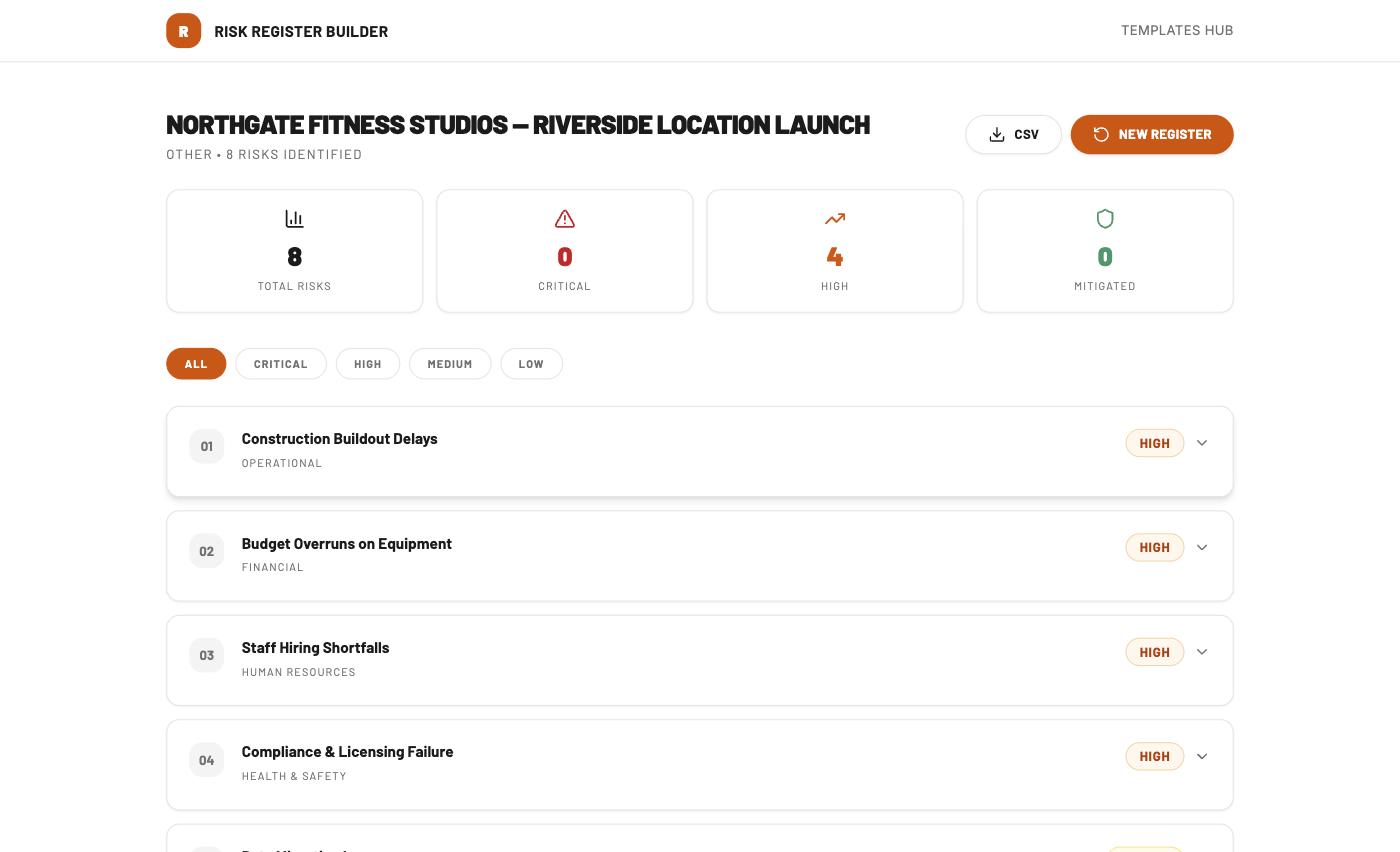
- Every risk scored by likelihood, impact, and an overall risk rating
- Sorted into categories — Operational, Financial, HR, Health & Safety, and more
- Mitigation actions and a contingency plan on every risk, not just a severity tag
- One-click CSV export of the whole register
Every risk register starts strong, then goes stale
The blank spreadsheet
Someone opens a template, fills in three risks off the top of their head, and moves on — the register never gets past “draft.”
A severity tag with nothing behind it
“High” gets typed into a cell with no mitigation plan and no owner, so when the risk actually happens, nobody knows what to do about it.
Whole categories missed
Brainstorming from memory tends to catch the obvious operational risks and skip financial, compliance, or HR risks entirely — until one of them lands.
Three steps to a full register
Project info
Name your project and pick the category it falls under.
Risk scope
Describe what the project involves, so the risks generated actually fit it.
Generate
Get a complete register — categorized, scored, and ready to export as a CSV.
Built around the RISK structure
Every risk in the register follows the same four-part shape, so nothing is just a label with nothing behind it.
Rate
Likelihood and impact scored individually, then combined into one overall risk score.
Identify
Sorted into a category — Operational, Financial, HR, Health & Safety, and more.
Steer
Concrete mitigation actions to reduce the odds it happens at all.
Keep watch
A contingency plan and an assigned owner for if it happens anyway.
From a project brief to a scored register
What we typed in
What came back
8 risks identified — 4 High, 0 Critical.
Questions people ask
What categories of risk does it cover?
Operational, Financial, Human Resources, and Health & Safety are common ones — the exact categories depend on the project and scope you describe.
How is the risk score calculated?
Each risk gets a Likelihood and an Impact rating, which combine into an overall risk score, so Critical and High risks stand out immediately from Medium and Low ones.
Can I export the register?
Yes — the CSV button downloads the entire register, every risk and field included, in one click.
Can I build a register for a different project afterward?
Yes — the “New Register” button starts a fresh one any time, and there’s no limit on how many you can generate.
Does it replace a professional risk assessment?
No — as the tool itself notes, generated content is a starting point and should be reviewed and validated by your organization’s risk management team before you act on it.
Give your next project a register that actually holds up
Free to use. No sign-up required.
Build a Register
Leave a Reply